OBOB.dog Community
You can contribute questions to OBOB.dog and make it better for everyone. Here's how:
-
Grab the OBOB book you are currently reading.
-
Go to obob.dog/books and find your book based on the year/division. Click the "View questions" button.
-
Navigate to the page you want to add a question for and click the "Add question" button. You'll be presented with a form like this:
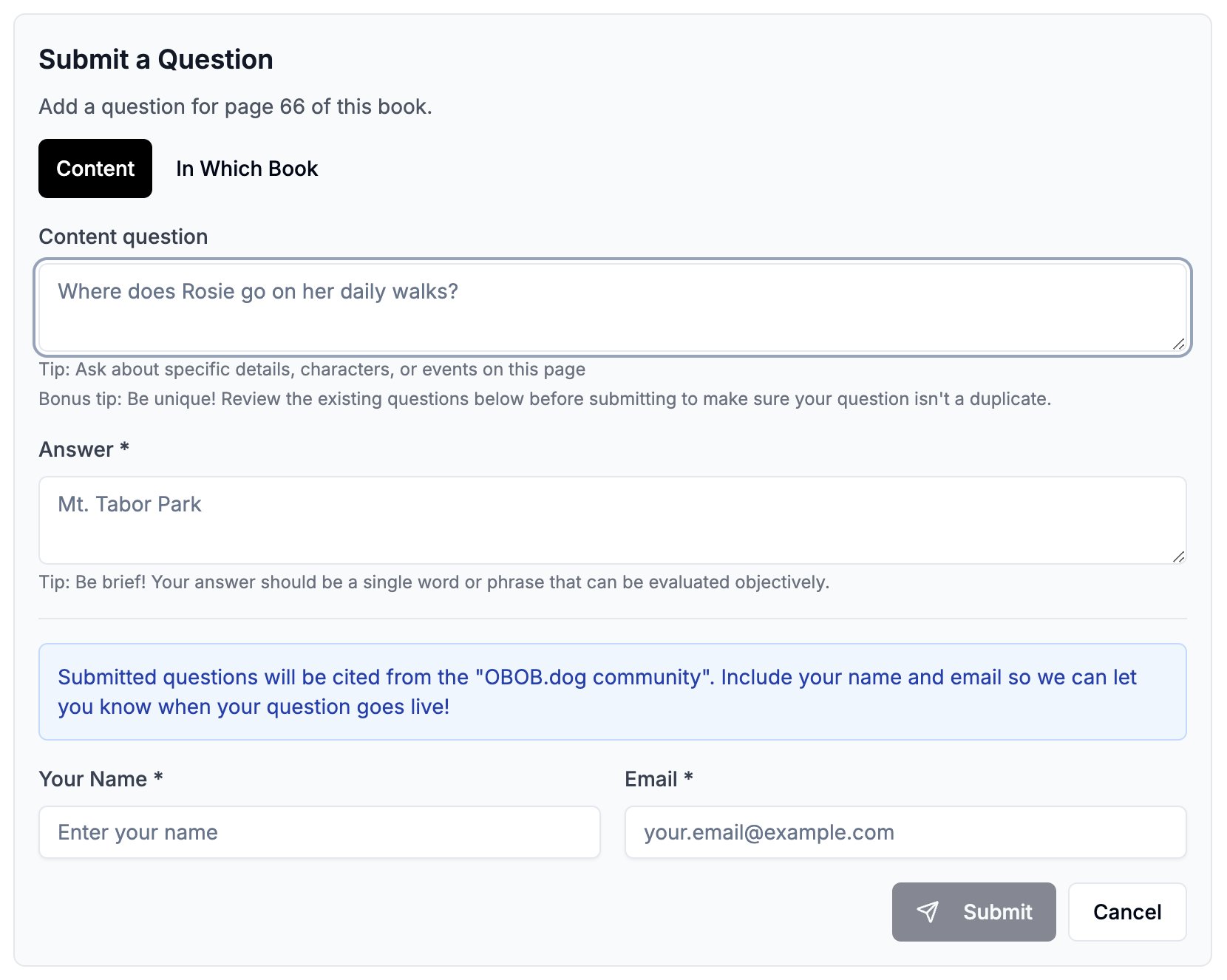
- Select your question type, either Content or In Which Book.
- If you're submitting a Content question, keep the answer short and sweet. One or two words that that can be evaluated objectively - nothing left open to interpretation.
- For In Which Book questions, don't repeat the "In which book" text, we'll handle that for ya.
-
Provide your name and email (or parent's email), so we can let you know when the question is posted.
-
Volunteers will review the questions and add them to the 'dog.
-
Repeat as you read!
That's it! Here's a few more tips to follow:
- Be unique - don't duplicate the content of questions that have already been posted. Look below the form at the list of questions that are already cited for the page.
- Increase coverage - some books don't have many questions, or have large sections without any questions at all. Try adding some questions that increase the coverage in those areas. For example, if a page already has 10 questions, try finding a page with 0 questions and submit some for that page.
Questions contributed from the form will be part of the "OBOB.dog Community" source:

Email [email protected] if you'd like to contribute questions in bulk, or have other ideas/thoughts to share.