OBOB season is coming!
Last fall we built OBOB.dog as a simple tool for our Oregon Battle of the Books (OBOB) team at Glencoe Elementary to practice together without having to print out loads of PDFs or spreadsheets. We put it online and a lot of people found it useful, so we're back again this year!
At the peak of the OBOB season there were hundreds of kids doing thousands of battles every day on the 'dog. As the season wound down, we asked what they'd like to see in the future, and the resounding answer: more questions, better questions, harder questions - also, fewer duplicates and grammatical errors. Message received.
With that in mind here's a look at what's new on OBOB.dog for the 2025-2026 season...
New year, new books, questions, and divisions!
Last year we started with a few questions for the Elementary division, and added Middle school towards the end of the season.
Thanks to a group of amazing parent volunteers led by Anna Konsor, we're excited to start the 2025-2026 season with thousands of questions for Elementary, Middle, AND High School! We also have question from Lake Oswego Public Library and Cedar Mills Public Library.
Use the new division picker on the homepage to get started:

Note: if you're feeling nostalgic, we've kept around last year's questions. Just pick your year.
Question feedback
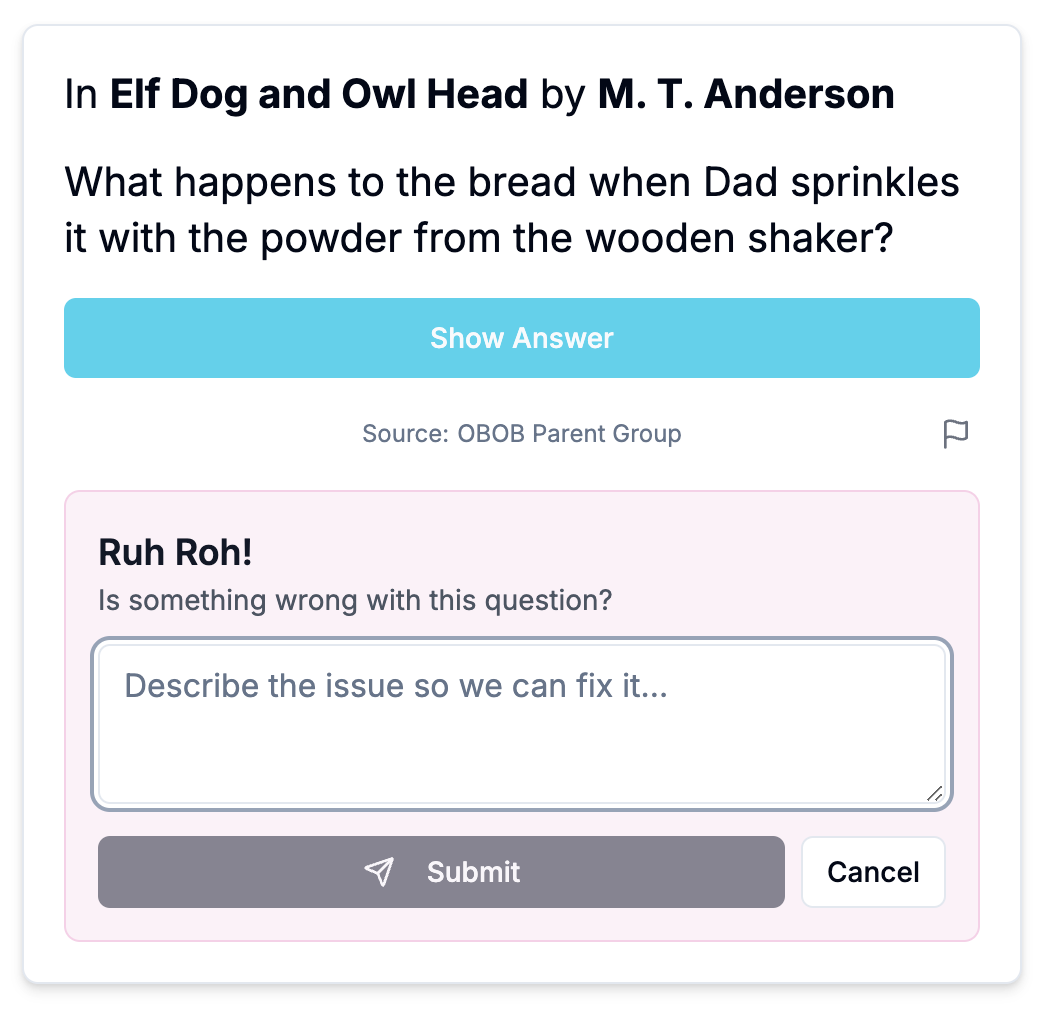
All the questions on OBOB.dog are written by community volunteers, and sometimes typos or other issues fall through the cracks. Heck there's almost seven thousand questions already for this year! If you see an issue, just tap the flag icon and fill out the form to let us know. Rosie will get right on it and attempt to fix the issue, improving the battles for all.
Question stats by book
Are you curious about the questions for your favorite book? Where did they come from, how many are there, how are they distributed throughout the book, etc? Take a look at the new book page that gives you a page-by-page overview of stats and questions:
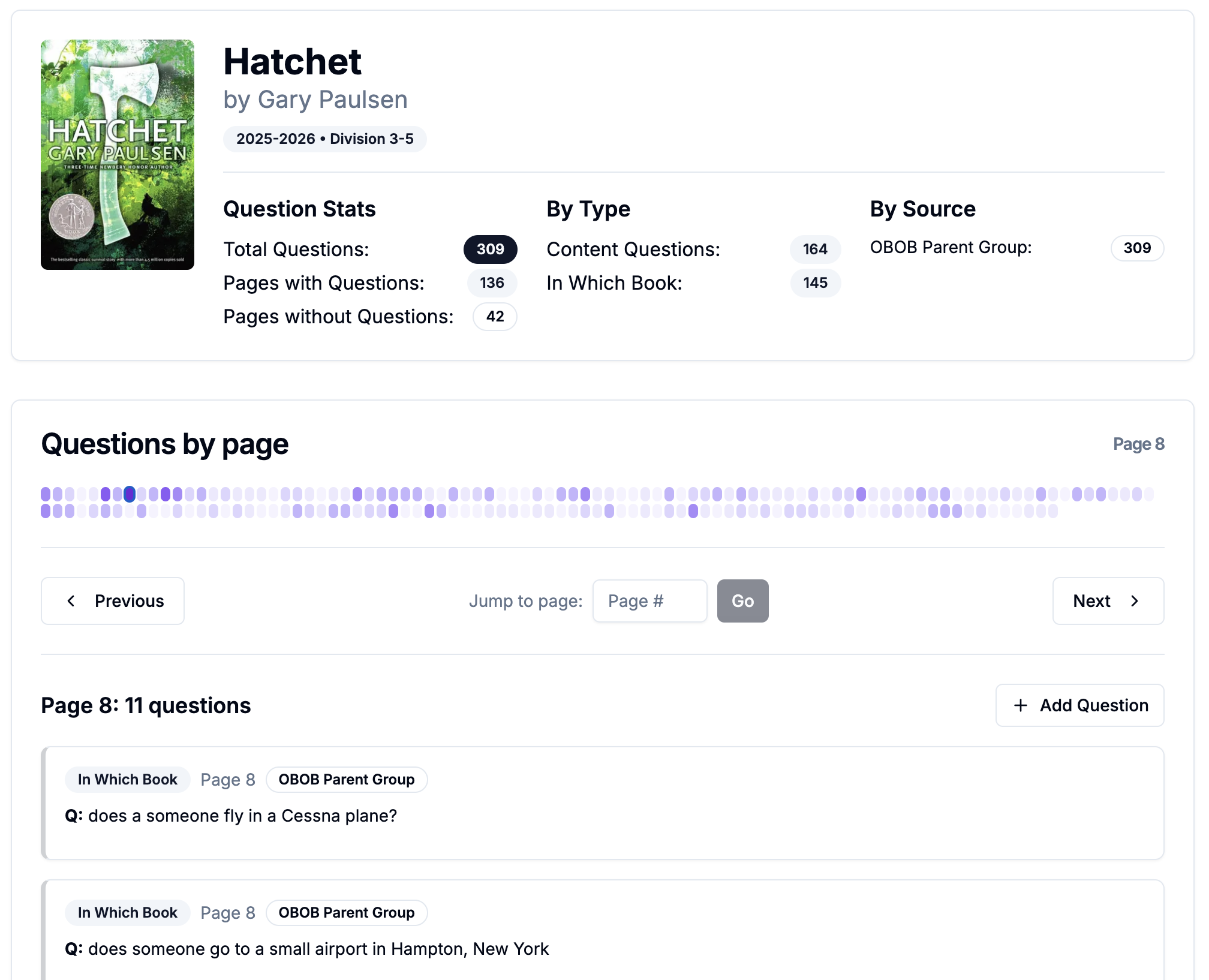
If you poke around, you'll find that there areas of books with lots of questions and others with very few or even zero. Which brings us to...
Add a question!
That's right, now you can add questions to OBOB.dog and make it better for everyone. From the books page, find the page number you're currently reading, tap the "Add a question" button and then follow the instructions:
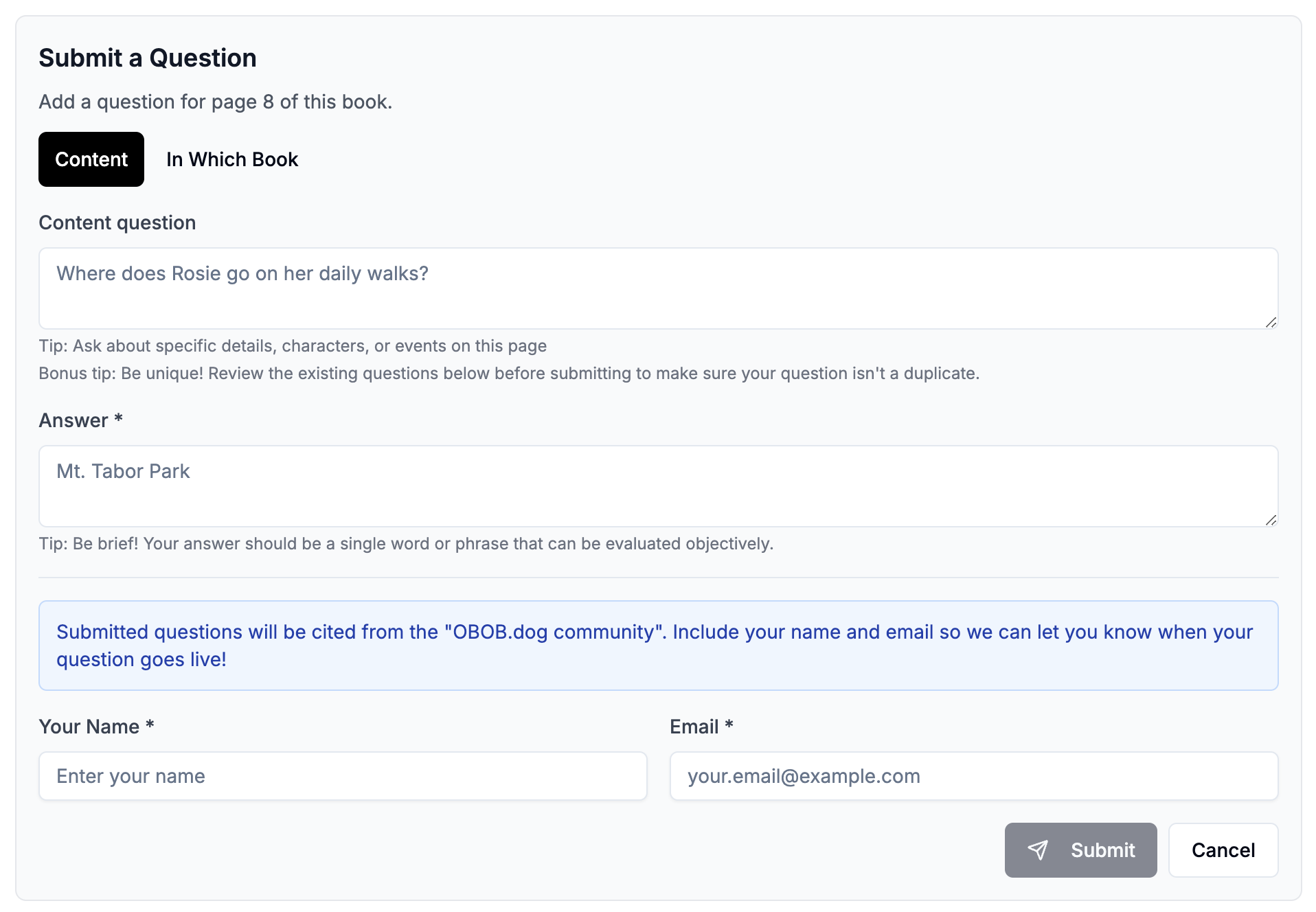
You can choose to add a content or in-which-book question, just follow the instructions and guidance on screen. Your new question will appear on OBOB.dog after it is reviewed by a volunteer, and we'll email you once it is up.
That's it for now. We've got some other interesting stuff in the works, so stay tuned and keep reading. Woof!